
Webinars
Webinars peoplestay for.
Registration from one link, a real production studio with polls and Q&A, and a report that tells you who stayed and what they asked.
How it works
Register. Run it. Read it.
- 01
Schedule and share
Schedule it and share the registration link. Attendees sign up with a name and email.
Registration - 02
Run it like a show
Guests, slides, polls and Q&A, in Live Studio.
Live Studio - 03
Know who stayed
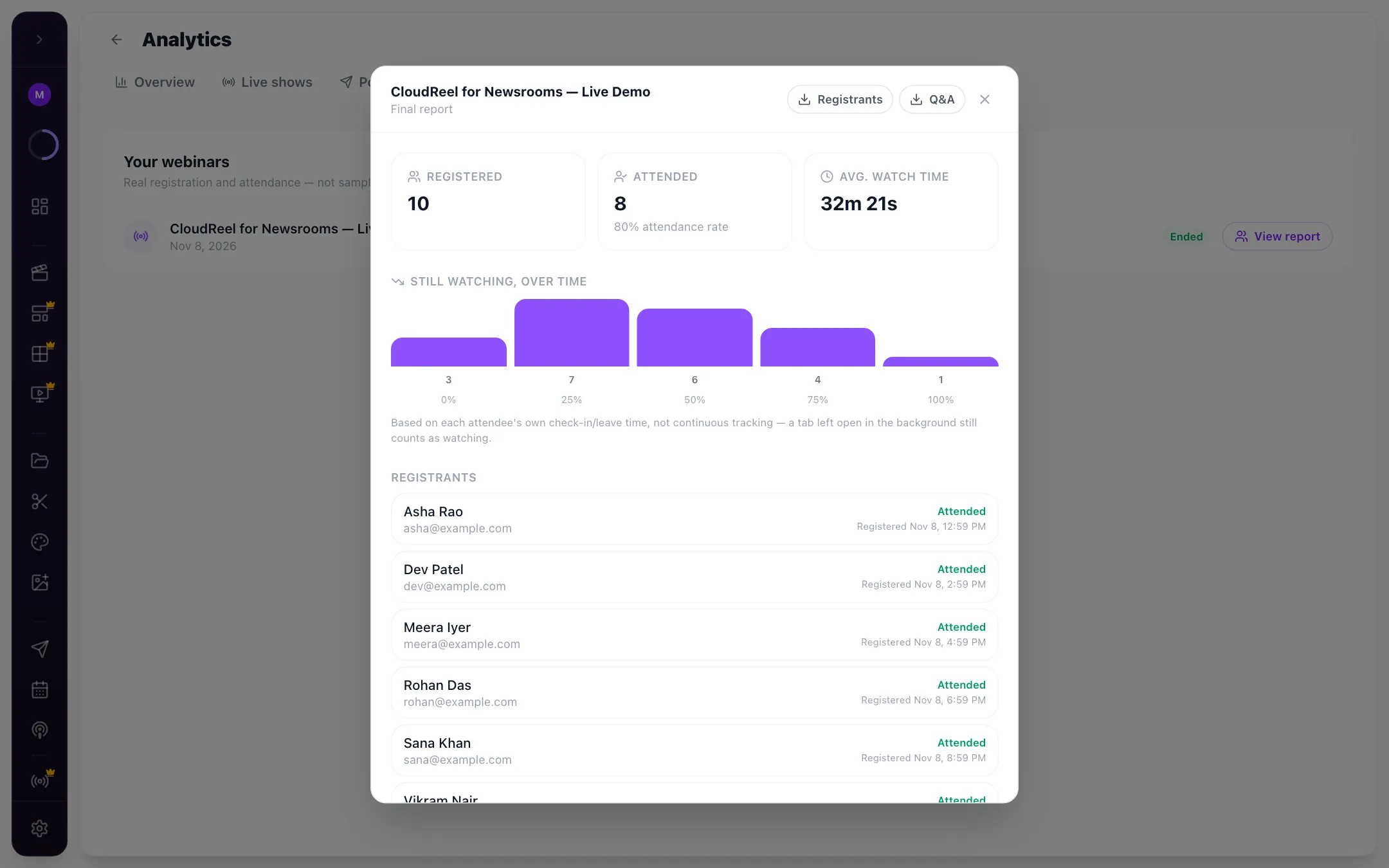
Registrations, attendance, watch time and the still-watching curve.
Report





Try it here
Have a go with Webinars.
A working model of the real thing. Click around: nothing is sent, nothing is saved.



 +856
Try it: register, run it live, then read the report.

- Registration page
- Name and email; closes when full
- Caps
- Unlimited, 100, 250, 500 or 1,000
- During
- Registrants panel, chat, polls, Q&A, guests
- Report
- Registrations, attendance, still-watching over time
- Export
- CSV
After the webinar
The replay people actually watch.
A five-minute highlight instead of the full hour, plus clips and a summary for everyone who registered.
FAQ
Questions, answered.
All questionsTalk to the team that builds CloudReel. We reply within one business day.
Talk to usWhat is a CloudReel webinar?
A CloudReel webinar is a live show with registration: people sign up from a page, you run it in Live Studio with guests, polls and Q&A, and a report shows who registered, who attended and how long they stayed.
Do attendees need an account?
No. They register with their name and email and join from the link.
Can I export the attendee list?
Yes. The report exports as a CSV.
Can I run polls and Q&A?
Yes. Both run on screen, from the same studio.
Can I limit the number of seats?
Yes. Cap registrations at 100, 250, 500 or 1,000, or leave them unlimited. The page shows “This event is full” when you reach it.






Run your next webinar like a show.
Registration, a real studio, and a report of who stayed.
No card needed. Free plan includes 75 credits.