
Simulcast
Stay on airbetween shows.
Turn your library into a 24/7 channel with playlists and schedules, sent to every destination you stream to.
On the Teams & broadcasters plan
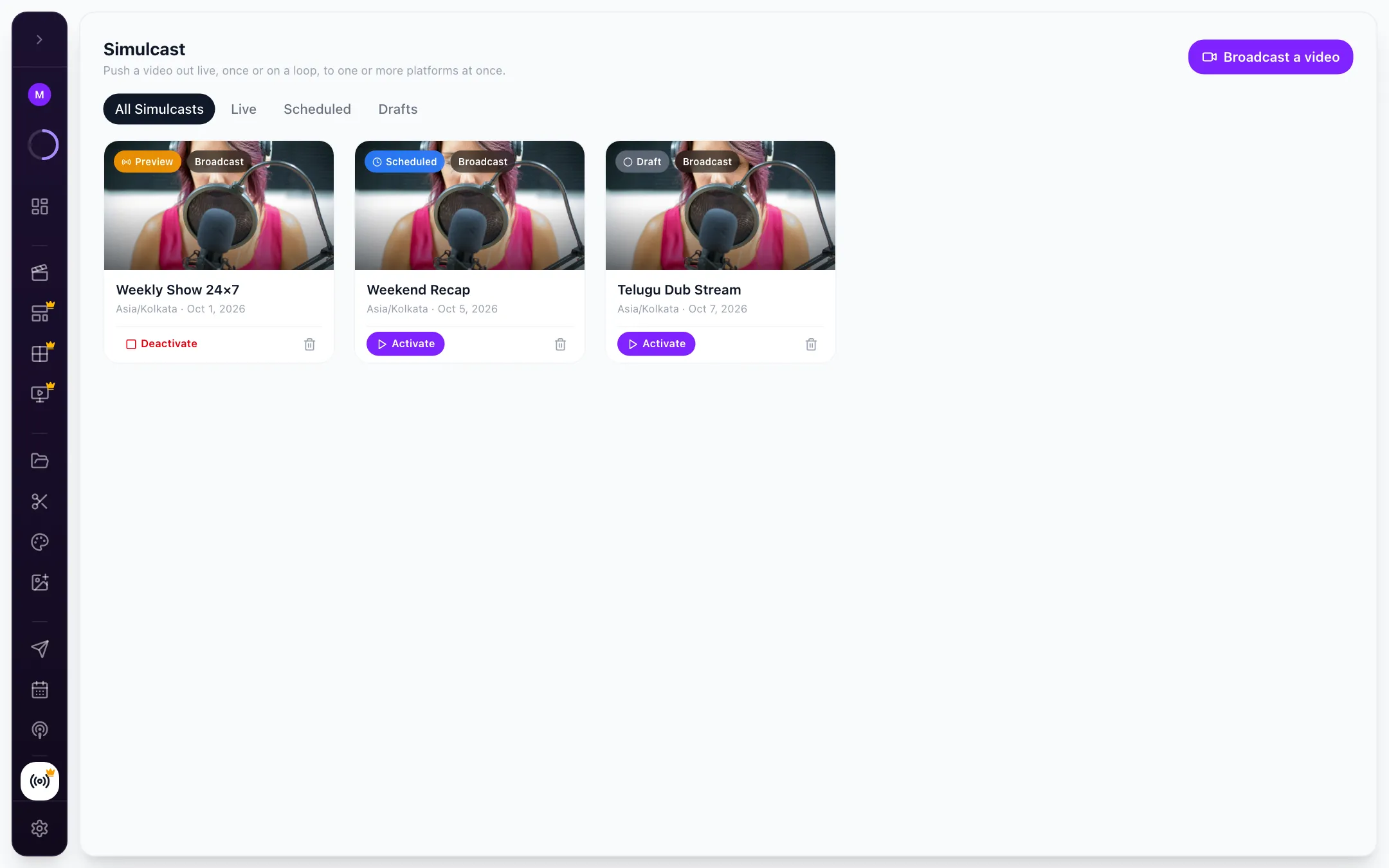
How it works
Pick. Schedule. Stay on.
- 01
Build a playlist
Shows, clips and highlights from your library.
Your library - 02
Schedule the day
Recurring, time-zone aware schedules with clash checks.
Schedules - 03
Send it live
Broadcast the channel to YouTube, Facebook, Instagram or any custom RTMP destination.
Every destination
Try it here
Have a go with Simulcast.
A working model of the real thing. Click around: nothing is sent, nothing is saved.
 ON NOW Best of Ep. 48Next Guest interviews · 15:00
Try it: click any block in today’s schedule.

- Channels
- Overview, schedule and settings for each
- Playlists
- Built from your library
- Schedules
- Recurring, time-zone aware, with clash checks
- Playback
- Loop so the channel never goes dark
- Broadcast
- Pick a video or channel, pick destinations, go live
- Status
- Live, scheduled and draft channels
FAQ
Questions, answered.
All questionsTalk to the team that builds CloudReel. We reply within one business day.
Talk to usWhat is Simulcast?
Simulcast keeps a channel on air between your live shows: build playlists from your library, schedule them by day and time zone, and broadcast them to the same destinations you go live to.
Which plan includes Simulcast?
Simulcast is on the Teams & broadcasters plan. Talk to us to set up your channel.
Can I broadcast a single video live?
Yes. Pick a video, pick your destinations, and it goes out live.






Launch your channel.
Your library, on air around the clock, on every destination you stream to.
No card needed. Free plan includes 75 credits.